
Playnix - HD Video Player Home
FusionGrid StudioVideo Players & Editors
4.55.00 Reviews
- Version
- 5.0
- Installs
- 50.00K
- Age Rating
- Everyone
Screenshots


Our Review of Playnix - HD Video Player Home
 Analysis by Appyee
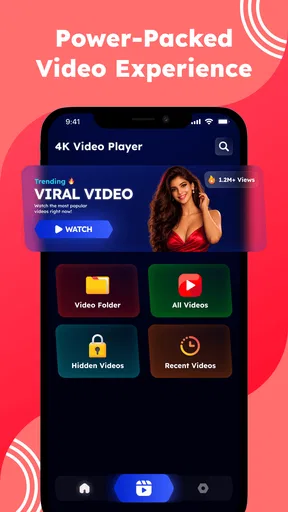
I approached Playnix as the kind of app I might keep on a phone that handles more than one entertainment job. It sits in the video players and editors category, but its identity is broader than a conventional player: it brings together HD video playback, a private vault, short-form viral videos, and a smart home launcher. That combination is immediately useful, although it also means the experience requires a little more personal organization than a single-purpose video app.
The app is free, aimed at everyone, and developed by FusionGrid Studio. Its current version is 5.0, and it runs on Android 8.0 or later. Those details make it accessible to a wide range of Android users, including people who are not using a recent phone. After spending time with its different roles, my view is that Playnix works best when you treat it as a compact media hub rather than expecting it to replace every specialized app on your device.
How I would use Playnix in a normal day
My baseline workflow would begin with ordinary video playback. If I want to watch a saved clip, I open the player, choose the file, and use the familiar viewing experience rather than moving through several separate tools. This is the strongest starting point because it gives the app a clear everyday purpose. A player that opens quickly and keeps personal videos close at hand can be more convenient than switching between a file manager, a dedicated player, and a separate private-storage application.
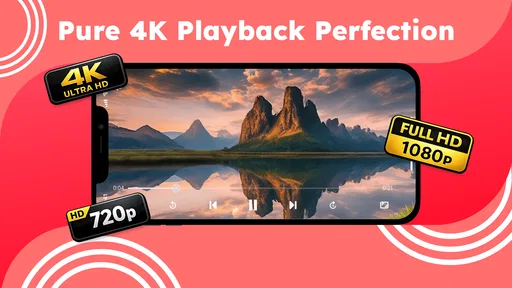
The HD focus is particularly relevant for users who keep higher-quality recordings on their phones. Family videos, downloaded lessons, travel clips, and camera footage benefit from being viewed in a player designed around video rather than treated as ordinary files. I would still judge the result by the source file and the phone display, not by the label alone. HD playback can improve the viewing experience, but it cannot add detail that was never captured in the original recording.
One practical habit is to decide which videos belong in the regular viewing area and which should go into the private vault before importing or organizing anything. That small decision prevents the vault from becoming a second, confusing gallery. I would use the normal player for clips I expect to revisit casually and reserve the vault for material that should not appear alongside everyday media when someone else is browsing the phone.
The private vault changes the app from a simple viewer into a more personal tool. It is useful for keeping sensitive recordings, private projects, or documents with video content separate from the main media flow. I would not treat it as a complete replacement for a dedicated security solution, though. A vault is only as useful as the habits around it, so I would avoid leaving private files in multiple locations and would make sure I understand how moving a file affects the original copy.
A realistic example is a parent returning from a school event with several recordings. The public clips can remain easy to find for sharing with relatives, while more personal footage can be kept apart in the vault. Later, the same person might use the shorts area during a break and then return to a smart home shortcut without opening three unrelated apps. That is where Playnix feels more distinctive than a standard video player: it connects several small routines in one place.
The shorts section is better understood as a quick-discovery area than as a replacement for a large social video service. It can be convenient when I want a fast stream of short entertainment without searching through my own files. At the same time, users who already have a preferred platform for subscriptions, creators, comments, or detailed recommendations may find their usual service more complete. Playnix’s advantage here is convenience inside the wider hub, not necessarily depth in every social-video function.
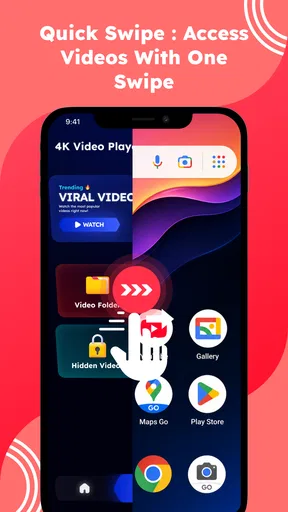
The smart home launcher adds another layer. For someone with compatible home routines already established on the phone, having a launcher alongside media tools can reduce app switching. I would use it as an entry point for frequently used home controls, not as evidence that the app replaces the dedicated application for every device. Smart-home setups differ considerably, and the value of this part depends on how well it fits the devices and services already in use.
The settings I would check before settling in
Experienced users usually gain more from a few deliberate checks than from changing every available option. In Playnix, I would first look at how the app separates ordinary media from vault content. The important question is not simply whether a file can be hidden, but whether my repeatable routine keeps private and public material from becoming mixed again later.
I would also check the playback behavior that affects daily comfort: how videos open, whether the app remembers the intended place in a clip, and how easily I can return to the main hub. I would not assume that a feature exists just because it is common in another player. Instead, I would test the controls with two or three videos I know well, including one short clip and one longer recording, before making Playnix my default.
Display and playback preferences deserve a similar hands-on check. A phone used mostly indoors may need a different brightness and orientation routine from one used while traveling. If the app offers controls for these areas, I would choose settings that reduce repeated adjustments rather than chasing the most elaborate configuration. The best setup is the one I can operate quickly with one hand when I am already holding the phone in a crowded place or on a commute.
For the shorts area, I would pay attention to how easily I can leave it and return to local videos. Short-form feeds are designed to encourage continuous viewing, so a useful personal rule is to enter that section with a clear purpose: a few minutes of browsing, a specific topic, or a quick break. If I want focused viewing, I would avoid letting the discovery feed become the default route to every video.
The launcher deserves an organization check as well. I would place the home actions I use most often where they are easiest to reach and leave less frequent controls out of the main path. This is one of the less obvious ways to make the app feel faster without needing any special feature: reduce the number of decisions between opening Playnix and reaching the task I actually want.
Because the app combines private material, entertainment, and home access, I would review the phone’s general privacy and notification habits too. I would be cautious about previews appearing on the lock screen and about leaving the app open in a public setting. These are not glamorous adjustments, but they matter more than cosmetic changes when one application touches several personal parts of daily life.
Shortcuts and repeatable patterns that save time
My preferred Playnix routine would use separate entry patterns for separate goals. For local viewing, I would open the player directly and avoid passing through the shorts area. For a private recording, I would go straight to the vault rather than browsing the general library first. For smart-home control, I would use the launcher as the starting point instead of treating it as an extra tab to explore after watching something.
This separation makes the app feel less crowded. A common mistake with multi-purpose tools is trying to use every section on every visit. Playnix works better when each part has a defined job. I can think of it as three lanes: personal playback, private storage, and quick access to discovery or home actions. Keeping those lanes mentally separate reduces accidental taps and makes the combined design more useful.
Another helpful habit is to test the first few files that matter to me before moving a large collection. I would choose a camera recording, a downloaded clip, and a file that I want to keep private. That small test reveals whether the app fits my real library and whether my preferred organization makes sense. It is much easier to adjust a handful of files than to reorganize everything after discovering that my workflow is awkward.
I would also maintain a simple cleanup rhythm. The shorts area can encourage temporary viewing, while the player and vault can accumulate files over time. Once a week or after a major event, I would remove duplicates, move important recordings into the right place, and check whether a private copy still needs to remain on the phone. This is not a Playnix-only issue, but the app’s combination of storage and playback makes the habit especially worthwhile.
For travel, I would prepare before leaving rather than relying on last-minute searching. I would place the videos I expect to watch in an easy-to-reach location, confirm that private material is not mixed with them, and keep the launcher organized around the home actions I actually need. The benefit is not just speed; it also reduces the chance of opening the wrong file or exposing something private while trying to find a travel clip.
Families may find a different pattern useful. One person can keep shared entertainment in the ordinary player, while personal recordings stay in the vault. If several people use the same phone, I would be especially careful about the handoff between sections and would avoid assuming that a hidden file is automatically protected from every kind of access. The app can support better organization, but responsible handling still depends on the user.
Where the all-in-one approach reaches its limits
The main trade-off is focus. A dedicated video player usually has a narrower mission and may be preferable for people who care deeply about specialized playback controls, extensive format handling, subtitle workflows, or a highly configurable viewing environment. Playnix’s appeal is the connection between playback, privacy, short videos, and home access. If I only want the most advanced possible player, a specialized alternative may be a better fit.
The same applies to the private vault. It is convenient to have privacy-related storage beside the player, but users with demanding security requirements should compare it carefully with a dedicated encrypted vault. I would not store something important in a new workflow without first testing how files are moved, opened, and restored. Convenience is valuable, but it should not be confused with a complete security strategy.
The shorts section can also be either a benefit or a distraction. People who want a compact entertainment option may enjoy having it close to their local videos. People who prefer a carefully curated subscription feed, strong creator tools, or a mature social ecosystem may be happier with their established platform. Playnix is most convincing when short-form viewing is one part of the routine, not the sole reason for installing the app.
The smart home launcher has a similar boundary. It can make familiar actions easier to reach, but it does not automatically solve device compatibility, account setup, or the complexity of a larger home system. I would choose it when a unified entry point is genuinely useful, not simply because the feature appears alongside the video tools.
There is also a mental-load trade-off. An all-in-one app can reduce switching, but it can make the first few sessions feel busier than a basic player. I would give myself time to establish the three-lane routine instead of judging the whole experience after opening one screen. If I repeatedly forget where a function lives, or if the extra sections interfere with simple playback, a focused alternative would probably serve me better.
Playnix has an average rating of 4.5 from around twenty ratings and has passed fifty thousand installs. That gives the app a visible early audience, but I would still make my decision based on my own priorities rather than treating those figures as proof that every workflow will suit me. A person who wants a free, broad media utility may see the same design as flexible, while a specialist may see unnecessary extras.
Who should install it, and who should skip it?
I would recommend Playnix to someone who wants one free Android app for several connected tasks: watching personal videos, separating private clips, browsing short entertainment, and reaching smart-home actions. It is particularly appealing to users who value fewer app switches and are willing to spend a little time arranging their habits. The Everyone content rating also makes its general positioning approachable for a broad audience.
I would be more cautious about recommending it to a professional editor, a serious home-theater enthusiast, or anyone whose first priority is a highly specialized playback environment. The app belongs to the video players and editors space, but its broader hub design matters more than deep editing capability. Someone searching specifically for a full editing workstation should look for an application built around timelines, effects, export control, and production workflows instead.
I would also suggest skipping it if the shorts feed or launcher would only add clutter to a phone that already has trusted tools for those jobs. Installing another app is worthwhile when it removes friction, not when it duplicates everything without improving the routine. Playnix earns its place when its combination is more convenient than the separate alternatives.
My final assessment after building a routine around it
What I like most about Playnix is not any single section in isolation. It is the possibility of building a repeatable path around everyday media: watch ordinary clips in one place, keep sensitive material apart, browse short videos when I choose, and reach home actions without leaving the same hub. That is a practical advantage for people who prefer a consolidated phone experience.
My advice is to start small. Use it first with a few local videos, test the vault with non-critical material, arrange the launcher around real habits, and decide whether the shorts section is useful or distracting. This approach exposes the app’s strengths without forcing a full migration on the first day. It also answers the questions that matter most in practice: whether it fits the files I watch, whether the privacy workflow feels clear, and whether the extra sections save time.
FusionGrid Studio has positioned Playnix as more than a basic player, and the current version 5.0 reflects that broader direction. I see it as a flexible media companion rather than a universal replacement for every specialized app. Its best feature is the workflow it lets me build between playback, privacy, discovery, and home access. If that combination matches the way you use your phone, the free price makes it easy to try. If you want one narrowly optimized tool, the usual dedicated alternatives will likely feel cleaner.
In my experience, the app becomes more convincing after a little organization. It rewards users who create clear entry points and repeatable habits, while casual users may need to ignore sections they do not need. That is a fair trade for an app with this many roles. I would keep Playnix installed on a phone where media, private recordings, and smart-home shortcuts regularly overlap, but I would not choose it solely for advanced editing or specialist playback.
Verdict
Strengths of Playnix - HD Video Player Home
- Supports HD video playback with sharp, detailed picture quality.
- Simple home screen makes personal videos easy to find and open.
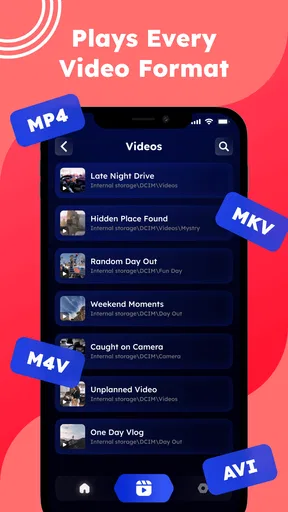
- Handles common video formats without requiring complicated setup.
- Useful for watching locally stored content without an internet connection.
- Playback controls are straightforward and easy for new users to understand.
Limitations of Playnix - HD Video Player Home
- HD playback may use significant battery on older phones and tablets.
- Performance can vary depending on the device and video resolution.
- Limited value if you mainly stream content from online services.
- Storage permissions may be required to access videos on the device.
- Some advanced playback features may be unavailable compared with premium players.
Similar Picks in This Category
View All
Google TV
Google LLC3.9

iTunes
Apple4.7

YouTube
Google LLC3.8

MX Player
Amazon Mobile LLC4.2

CapCut - Video Editor
Bytedance Pte. Ltd.3.5

PLAYit-All in One Video Player
PLAYIT TECHNOLOGY PTE. LTD.4.5
Frequently Asked Questions
What is Playnix - HD Video Player Home, and what can it do?
Playnix - HD Video Player Home is designed for watching locally stored videos on a mobile device through a straightforward media-player interface. It may support common video formats, high-definition playback, subtitles, playlists, and basic controls such as seeking, volume, screen orientation, and playback speed. Its usefulness depends on the formats your device can decode and the permissions granted during setup.
Does Playnix - HD Video Player Home require an internet connection?
For videos already saved on your phone or tablet, a constant internet connection is generally not necessary, which makes the app suitable for offline viewing. However, some optional features may depend on connectivity, and advertisements, updates, online content, or external media sources could require internet access. Check the app’s permission and privacy information before using network-related features.
Which video formats and quality levels are supported?
Playnix - HD Video Player Home is intended to handle popular video formats and HD content, but actual compatibility can vary between devices, Android or iOS versions, and hardware decoding capabilities. Large, high-bitrate, or less common files may stutter, lose audio synchronization, or fail to open. Testing a few personal files is recommended before relying on it for an important viewing session.
Can I use subtitles and adjust playback while watching a video?
The player is expected to provide practical viewing controls, and subtitle support may be available for compatible subtitle files or embedded tracks. Depending on the version, users may also find options for playback speed, screen rotation, aspect ratio, brightness, volume, and seeking. Subtitle encoding, file names, and format compatibility can affect whether captions appear correctly.
Is Playnix - HD Video Player Home safe to install and use?
Before installing, download Playnix - HD Video Player Home only from a trusted official store or verified source, and review its developer details, ratings, recent comments, privacy policy, and requested permissions. A video player normally needs access to media files, but unrelated permissions deserve closer attention. Also check for advertisements, in-app purchases, and data-sharing disclosures.
